What is LiftOff?
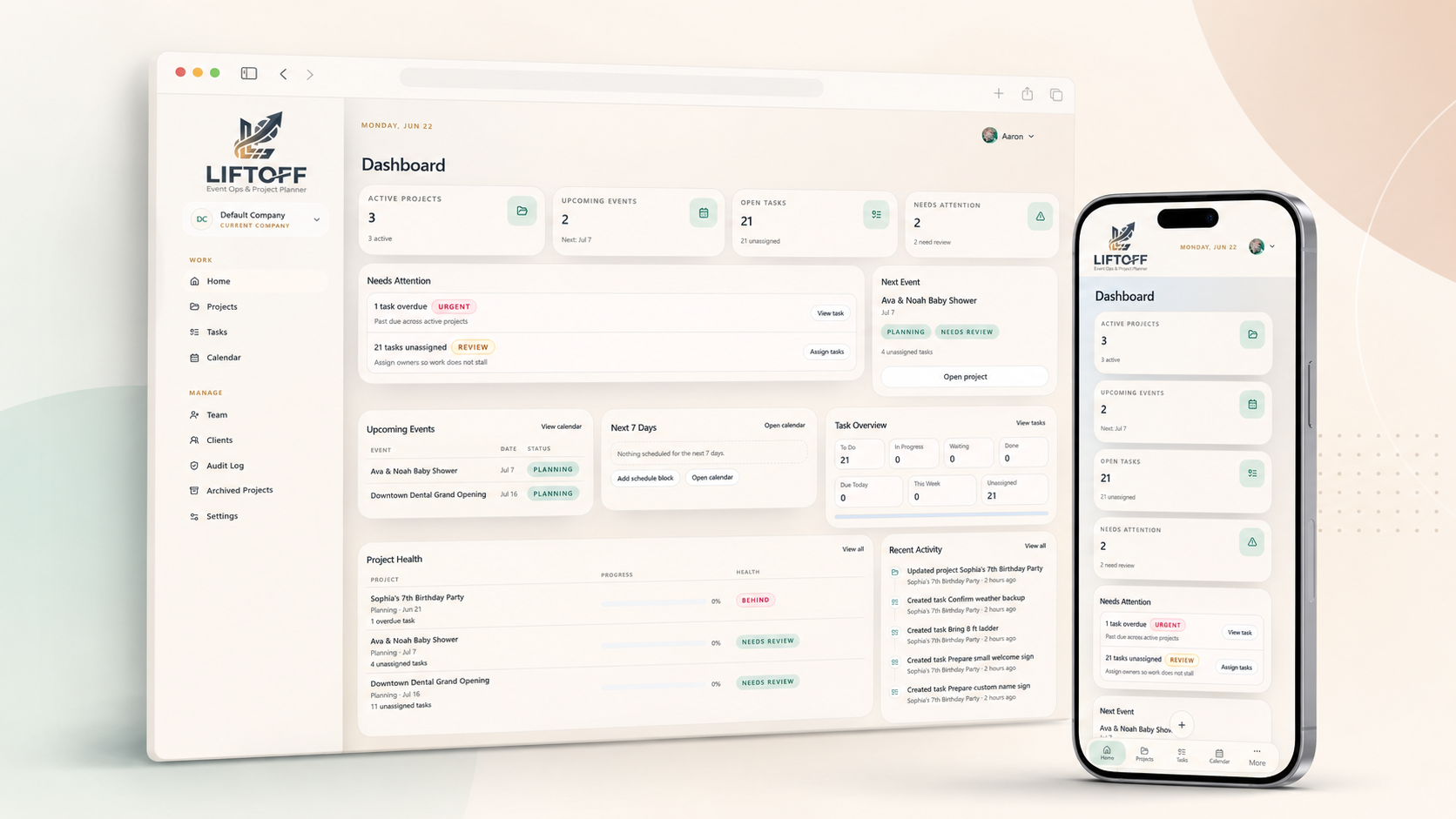
LiftOff is a shared workspace for planning and running events. It keeps your projects, tasks, notes, files, schedules, client details, reports, and AI-assisted planning tools in one place.
When to use LiftOff
Use LiftOff when your team needs to:
- Keep every event organised in one project
- Track tasks and who is responsible for them
- Save notes, photos, documents, mockups, and renders with the right event
- Plan prep, travel, setup, event, teardown, delivery, and pickup timing
- See what changed on a project without searching through chats or emails
- Create internal or client-friendly reports
- Share photo and video albums with clients
- Use AI to speed up drafts, summaries, task planning, and concept visuals
LiftOff is designed for event teams that move between office planning and on-site work. The app is mobile-friendly so crew members can check details quickly from the field.
How LiftOff is organised
Most work starts with a project. A project is the home base for one event or production.
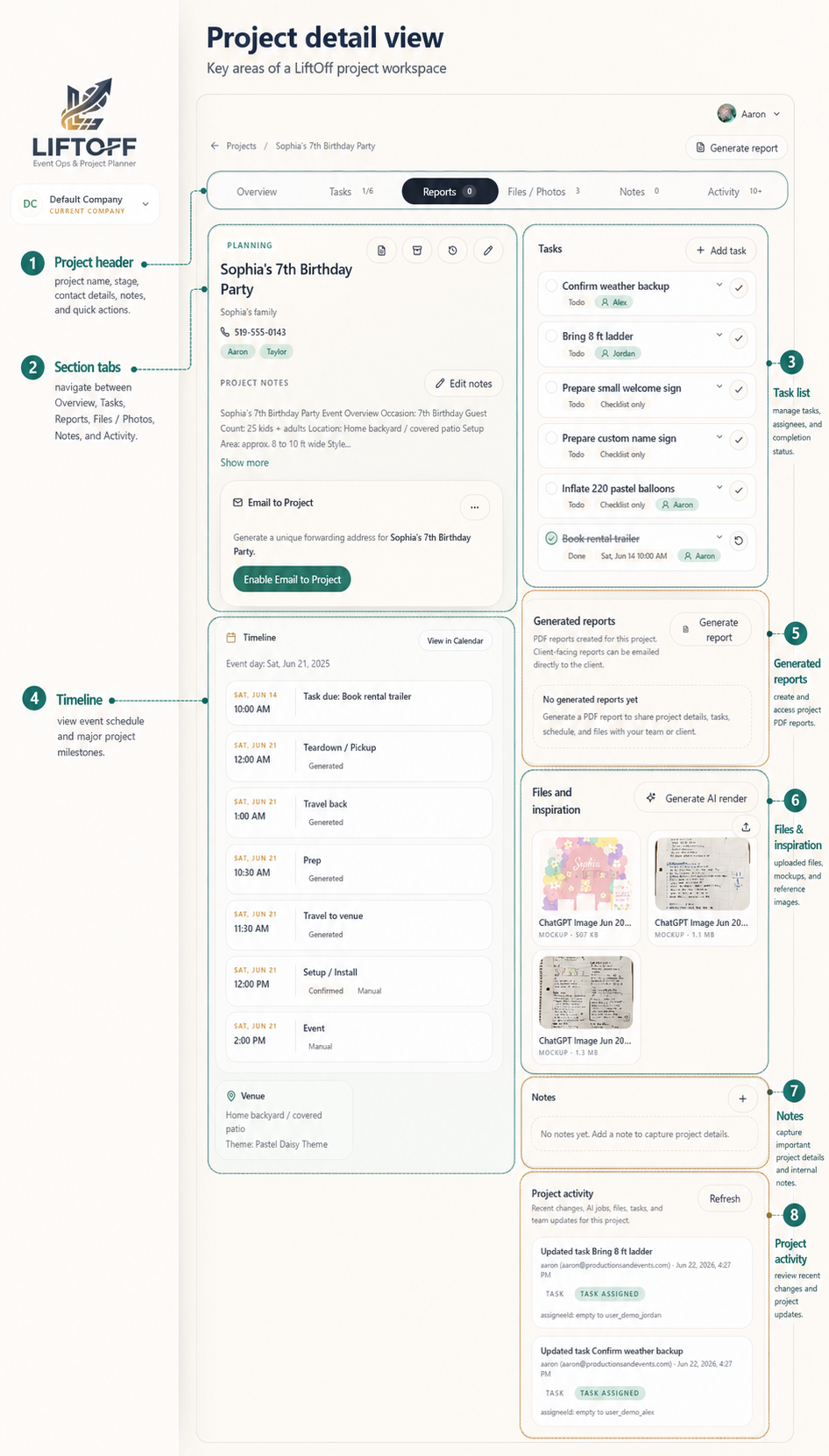
Each project can include:
- Event details, venue, dates, and timing
- Client information
- Team members
- Tasks and assignments
- Notes and comments
- Files, photos, inspiration, and renders
- Schedule blocks for production timing
- Reports
- Albums and client gallery links
- Activity history
- AI-assisted suggestions and summaries
Main areas of the app
| Area | What you do there |
|---|---|
| Home | See upcoming events, open tasks, recent notes, and today’s schedule |
| Projects | Create, view, update, archive, and open project details |
| Tasks | Track work across projects in a list or board |
| Calendar | View event dates, schedule blocks, and task due dates |
| Clients | Manage client contact details |
| Settings | Update your account and, if allowed, manage company defaults |
Who uses LiftOff?
People in your workspace have different levels of access.
| Role | In short |
|---|---|
| Owner | Full access to the workspace, team, settings, and admin tools |
| Admin | Helps manage the workspace and day-to-day setup |
| Member | Works on projects, tasks, notes, files, and reports |
| Project guest | Gets limited access to one project for short-term work |
What you see in LiftOff depends on your role. See Roles and Permissions for the full breakdown.
AI-assisted features
LiftOff includes optional AI tools to help with planning work, including:
- Drafting projects from images or PDFs
- Writing project summaries
- Suggesting tasks
- Creating notes from selected attachments
- Estimating whether trailer transport should be reviewed
- Generating concept renders from mockups or inspiration
- Writing optional report sections
Always review AI output before sharing it with clients or using it for event-day decisions.
Next steps
Continue to Signing In, or jump to Creating a Project when you are ready to add your first event.