Roles and Permissions
Your role controls what you can see and do in LiftOff. Roles keep sensitive settings protected while letting the team collaborate on project work.
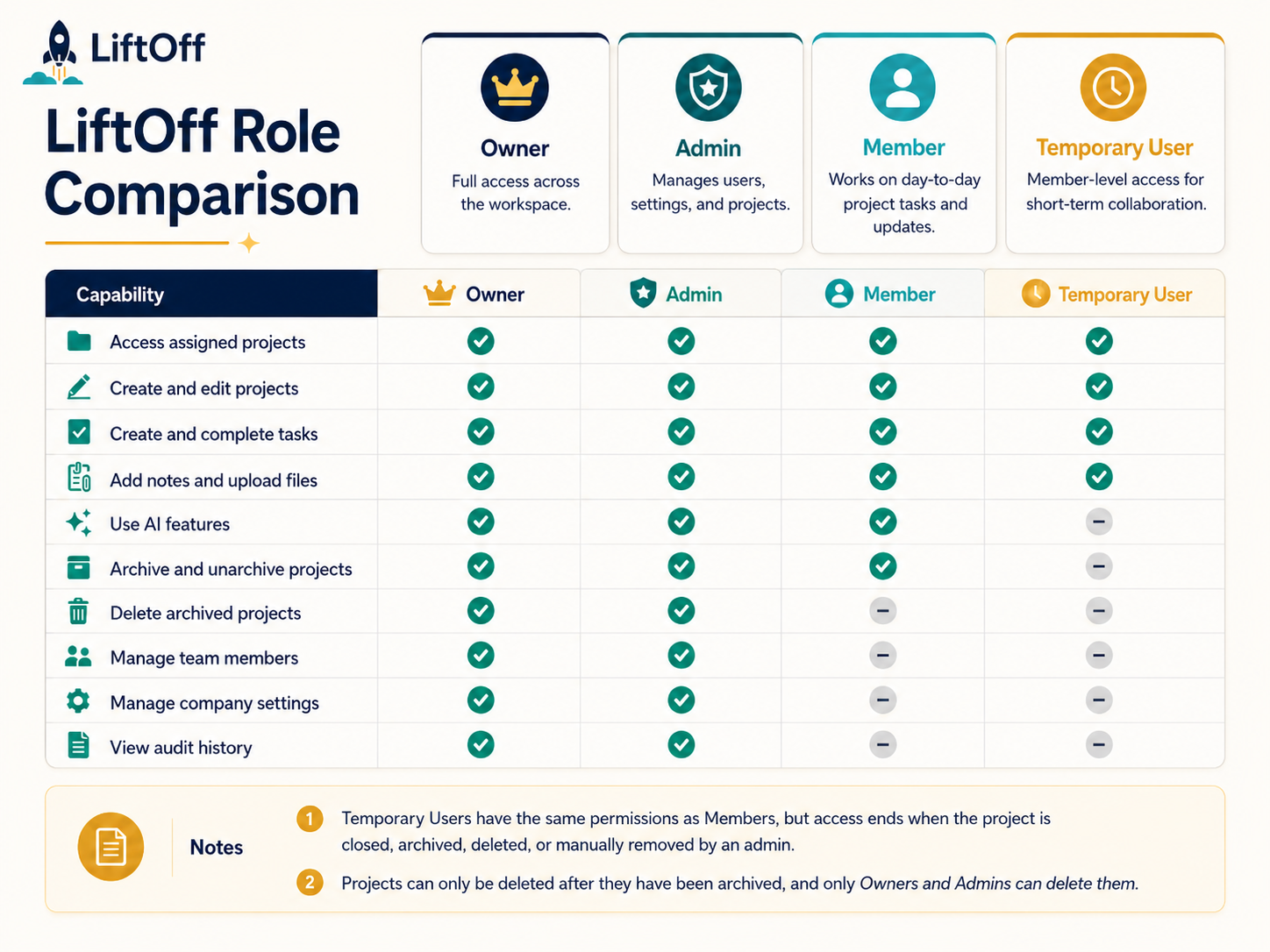
When to use this page
Understand what owners, admins, members, and project guests can do so you know where to go for settings, team management, and project work.
Who can do this
Everyone can read this page. Only owners and admins can change team access and company settings.
LiftOff roles
Owner
Owners have the highest level of access in the workspace.
Owners can usually:
- Manage all projects, tasks, notes, and files
- Invite and manage team members
- Change company, planning, notification, and AI settings
- View audit history
- Permanently delete archived projects
Admin
Admins help run the workspace day to day.
Admins can usually do everything owners can do, including team management, settings, audit history, and deleting archived projects.
Member
Members focus on project work.
Members can usually:
- View and edit projects they can access
- Create and complete tasks
- Add notes and upload files
- Generate and print project reports
- Use AI features where enabled
- Archive and unarchive projects
Members cannot usually manage team members, company settings, or audit history, and they cannot permanently delete archived projects.
Project guest
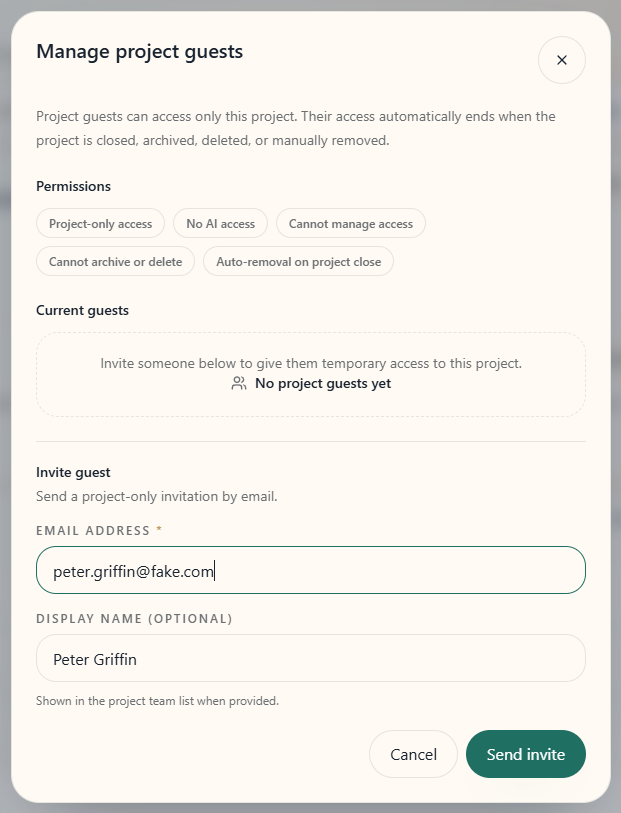
Project guests are invited to one project for short-term help, such as a freelancer or vendor who needs limited access.
Project guests can usually:
- View and contribute to the project they were invited to
- Work with tasks, notes, and files on that project
Project guests cannot usually:
- Use AI features
- Archive or delete projects
- Manage project access for others
- Access Clients, Settings, Team, or Audit Log
- See other projects in the workspace
Permission overview
| Capability | Owner | Admin | Member | Project guest |
|---|---|---|---|---|
| Access assigned projects | Yes | Yes | Yes | Yes |
| Create and edit project work | Yes | Yes | Yes | Yes |
| Tasks, notes, files | Yes | Yes | Yes | Yes |
| Use AI features | Yes | Yes | Yes | No |
| Archive and unarchive projects | Yes | Yes | Yes | No |
| Generate reports | Yes | Yes | Yes | Yes |
| Delete archived projects | Yes | Yes | No | No |
| Manage team members | Yes | Yes | No | No |
| Manage company settings | Yes | Yes | No | No |
| View audit history | Yes | Yes | No | No |
| Clients directory | Yes | Yes | Yes | No |
File permissions
Uploading and labelling
Members, admins, and owners can upload files to projects they can edit. Each file has a label such as mockup, recipe, note, or render. LiftOff suggests a label on upload. On mobile, press and hold a file to change its label. On desktop, click the file.
Deleting files
- Members can delete files they uploaded.
- Owners and admins can delete any company file.
Managing file labels
Only owners and admins can add, rename, or deactivate file labels in Planning Lists.
Project deletion rules
Active projects cannot be deleted immediately.
- Archive the project first.
- An owner or admin can then permanently delete it from Archived Projects.
This helps prevent accidental removal of live event work.
If you cannot see something
If a page, button, or setting is missing, your role may not include that access. Contact an owner or admin if you believe your access is wrong.