Home Overview
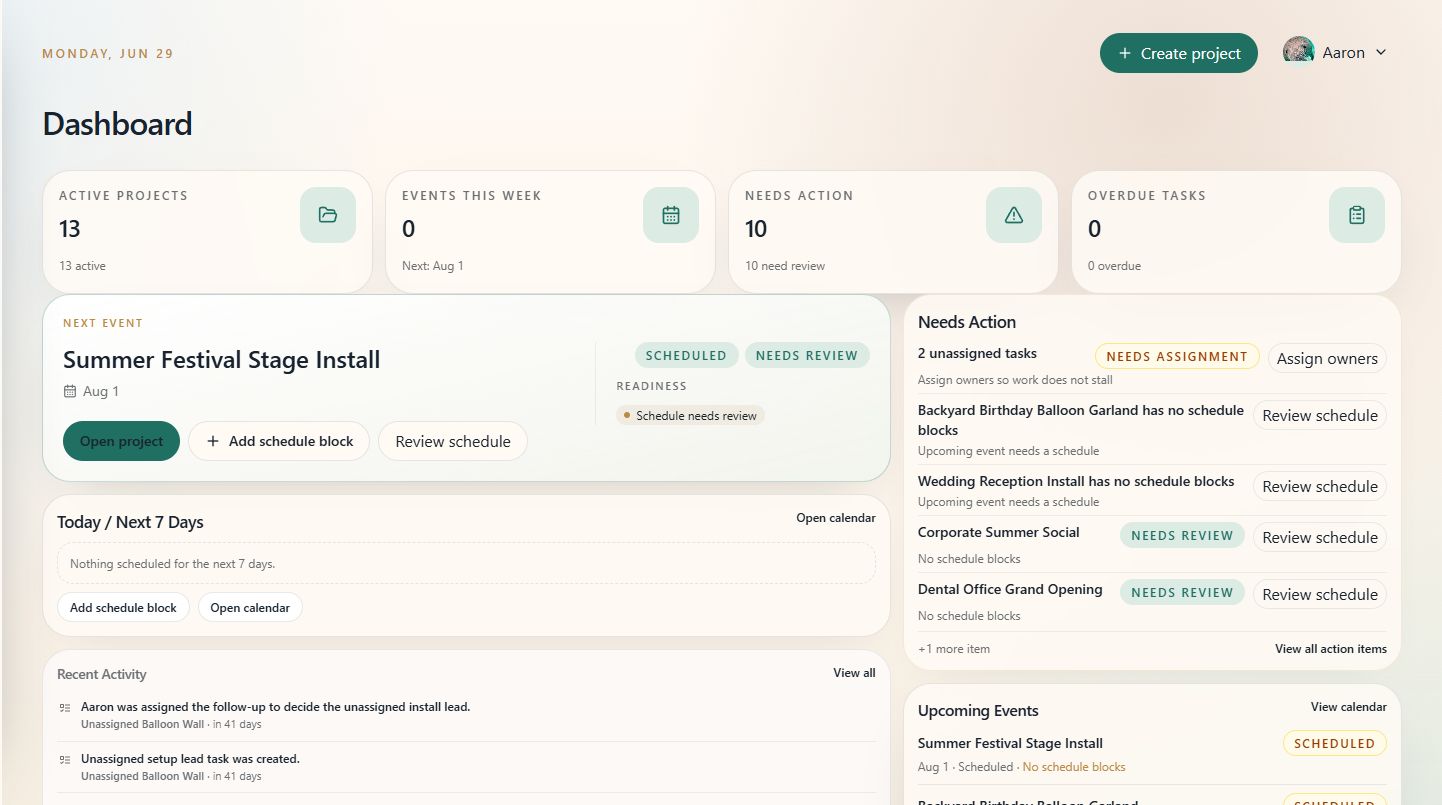
Use Home as the daily starting point for your event work. It brings active projects, schedule needs, open tasks, and upcoming events into one view.
When to use this
Open Home at the start of the day, before a production meeting, or whenever you need a quick read on what needs attention.
What to look for
- Summary cards for active projects, events this week, items needing action, and overdue tasks.
- The next event card for readiness notes and quick actions.
- Needs Action for projects missing assignments, schedules, or review.
- Today / Next 7 Days or Upcoming Events for schedule context.
Tips
- Treat Home as a triage view, not the full project plan.
- Use the action buttons to jump directly into the project, calendar, or task list.
- If Home feels noisy, clean up project statuses and overdue tasks first.
See also
For full steps, permissions, and section details, see the Home Dashboard reference guide.