Setup Checklist
The setup checklist helps new workspaces complete essential configuration during their first weeks in LiftOff.
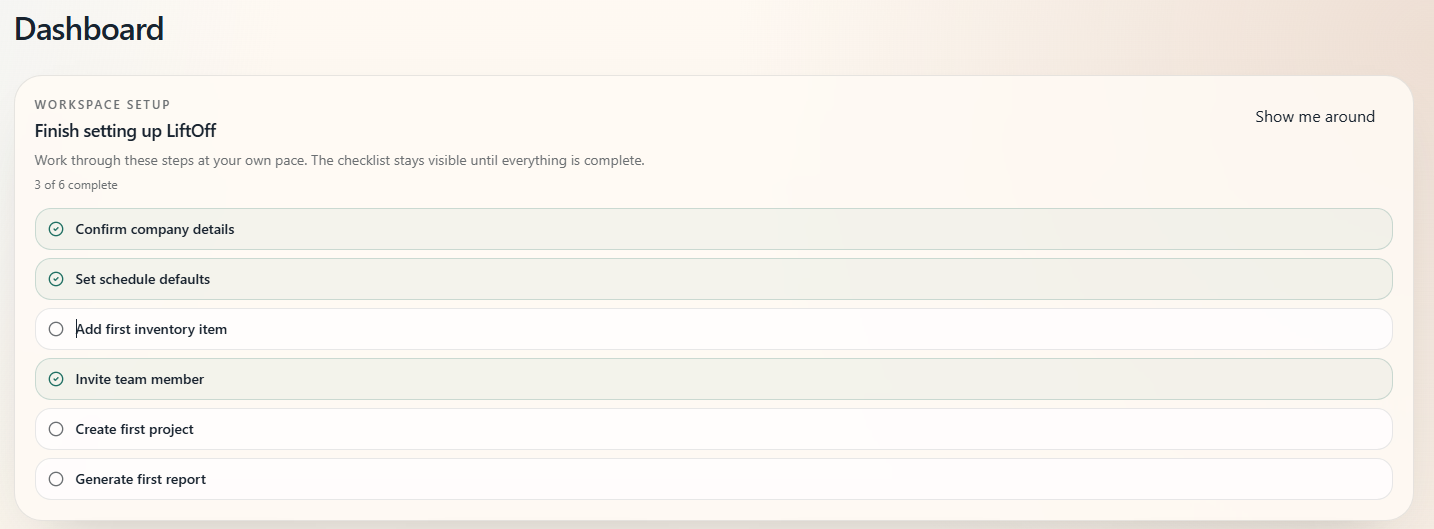
What this is for
Owners and admins see a guided list of six setup tasks. Items check off automatically as your team completes them, so you always know what is left.
Who can use this
Owners and admins see the checklist. Other roles do not manage company setup.
Where the checklist appears
The checklist card may appear on:
- Home — when setup is incomplete
- Settings — under the Company setup section
You can dismiss the checklist once every item is complete.
Checklist items
| Item | What completes it |
|---|---|
| Confirm company details | Company name, address, or logo saved in Company Settings |
| Set schedule defaults | Schedule block defaults updated in Schedule Settings |
| Add first inventory item | At least one item in the Inventory catalog |
| Invite team member | A pending invitation or second active member in Team |
| Create first project | At least one project in the workspace |
| Generate first report | At least one completed report on a project |
Each item links directly to the page where you complete it.
How to use the checklist
- Open the checklist card on Home or Settings.
- Select an incomplete item to jump to the right page.
- Complete the task; the item checks off on its next refresh.
- When all six items are done, dismiss the checklist if you no longer need the reminder.
What happens next
- Continue with New Company Onboarding for the full first-week path.
- Share App Navigation with teammates so they know where to find tools.
Notes
- Progress is per company workspace.
- Dismissing the checklist does not undo completed setup.