Project Detail Page
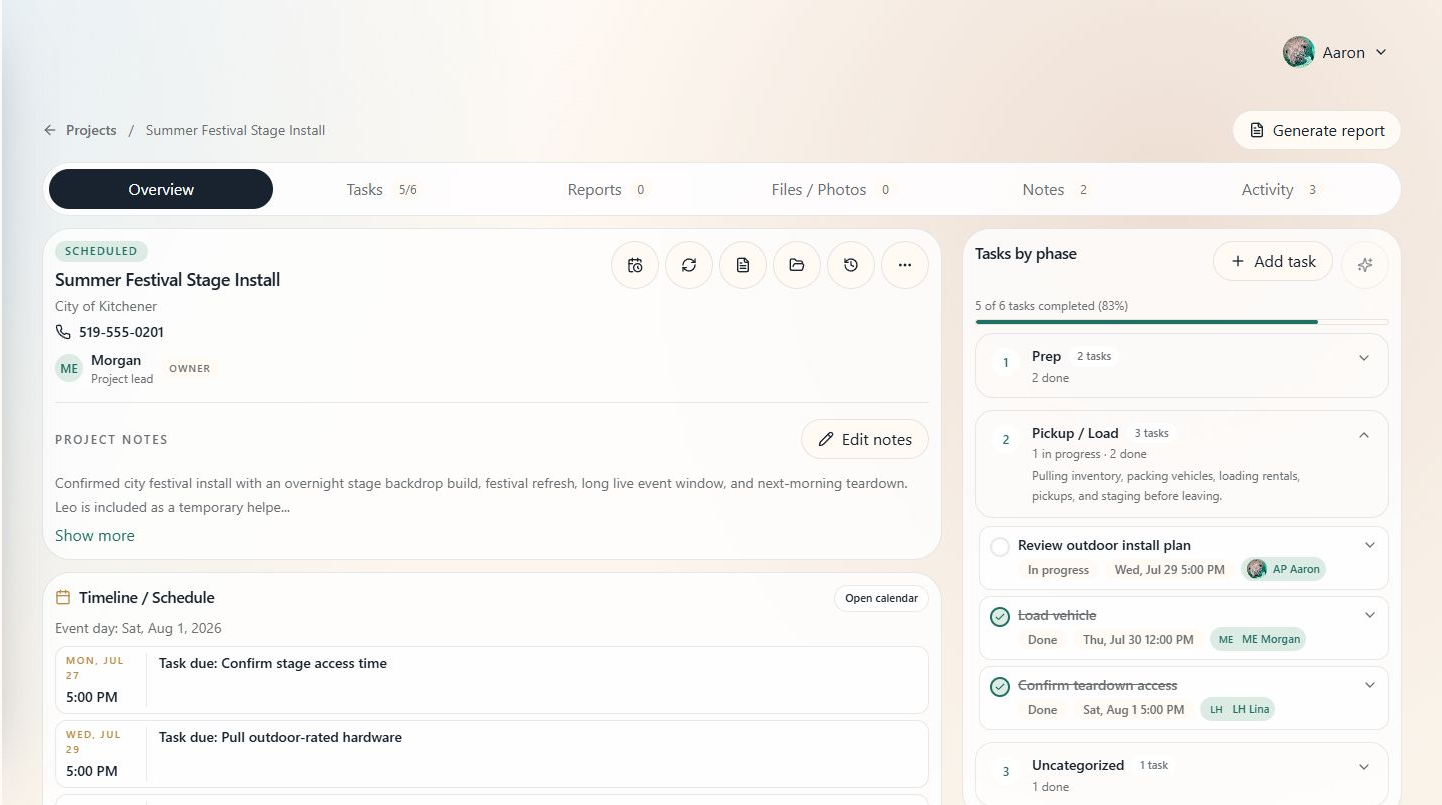
The project detail page is the command center for one event. It shows the project overview, timeline, team, tasks, reports, files, notes, activity, and album tools.
When to use this
Open a project when you need the full context for an event instead of a cross-project list.
Section navigation
Use the section tabs to move between all eight project areas:
Overview, Tasks, Schedule, Inventory, Reports, Files / Photos, Notes, and Activity.
On mobile, Overview, Tasks, Files, and Notes appear in the main pill bar. Open More for Schedule, Inventory, Reports, and Activity.
What to review first
- Overview for client, status, timeline, team, and email alias.
- Schedule for prep, travel, setup, event, and teardown blocks.
- Tasks for open work and AI suggestions.
- Inventory when planning decor, props, or rentals, including items that still need a catalog match.
Tips
- Start in Overview when joining a project for the first time.
- Use section tabs instead of scrolling when you know exactly what you need.
- Keep project notes current; they become context for reports and AI-assisted planning.
See also
For permissions, header actions, and section details, see Viewing a Project.