Task Phases and Assignments
Tasks can be grouped by production phase so teams can see what belongs to prep, pickup, load-in, event, strike, and follow-up.
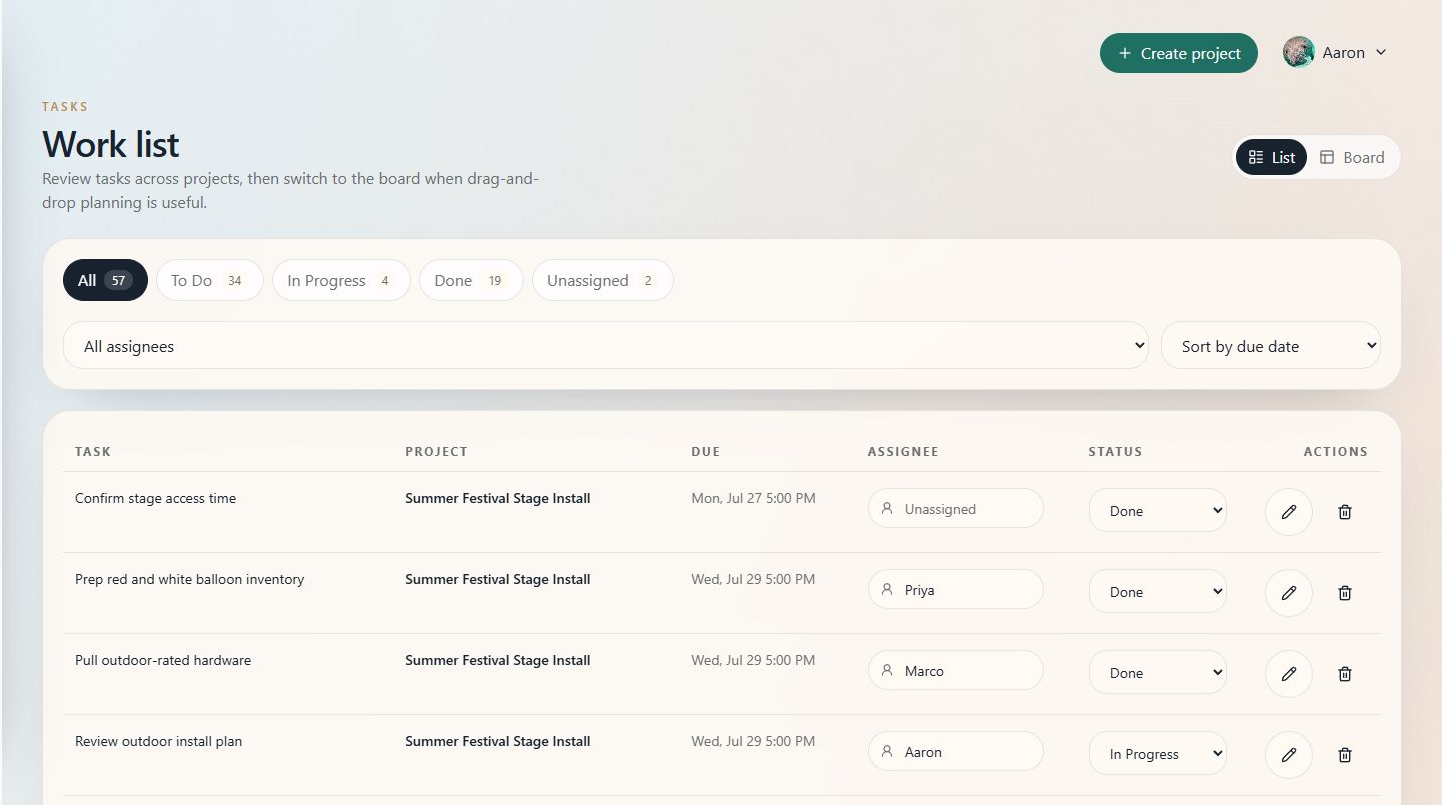
When to use this
Use the task list or board when you need to assign work, check status, or compare tasks across projects.
Steps
- Open Tasks for cross-project work, or open a project and select Tasks.
- Filter by status or assignee when the list is long.
- Assign each task to the person responsible for completing it.
- Set or review due dates.
- Move work through statuses such as To Do, In Progress, and Done.
- Use phases to keep related tasks together.
Tips
- Assign every task that needs an owner before production week.
- Use phases to make the work plan readable for crew.
- Keep task names action-oriented, such as "Confirm venue access" or "Pack red and white garland kit."